
Your Snapchat Memories Face a September 2026 Deadline
After September 2026, Snapchat will delete memories that exceed your 5GB storage limit. Thousands of photos and videos could disappear forever.
ExportSnaps saves your memories with their original dates and locations intact - before it's too late.
Free for up to 200 files • macOS & Windows
What's Happening With Snapchat Memories?
In September 2025, Snapchat announced a major change: free storage is now capped at 5GB. Here's the timeline:
September 2025: Snapchat announces 5GB storage limit
Snapchat introduced a 12-month grace period for users to adjust to the new storage limits.
Now (January 2026): 8 months remain in grace period
You still have time to export your memories before the deadline approaches.
September 2026: 12-month grace period ends
Memories over 5GB risk deletion unless you upgrade to a paid plan.
What This Means for You
If you have more than 5GB of memories saved (typically over 1,000 photos and videos), you have three options:
- 1.Pay monthly: $1.99/month for 100GB, $3.99/month for 250GB, or $15.99/month for 5TB
- 2.Delete memories: Keep only your most recent 5GB worth
- 3.Export now: Save everything to your computer before the deadline
According to Snapchat Support: If you don't upgrade or export by September 2026, your oldest memories stay safe under the 5GB limit, but your most recent memories above that limit will be permanently deleted.
Why Snapchat's Export Doesn't Work
Exporting from Snapchat sounds simple, but there's a critical problem: the files you get are completely broken.
What Snapchat Gives You
What ExportSnaps Does
How to Download Snapchat Memories with Metadata
ExportSnaps solves the missing metadata problem by reading your memories_history.json file and embedding all EXIF data directly into each photo and video within couple of seconds. The process takes about 10 minutes for most libraries.
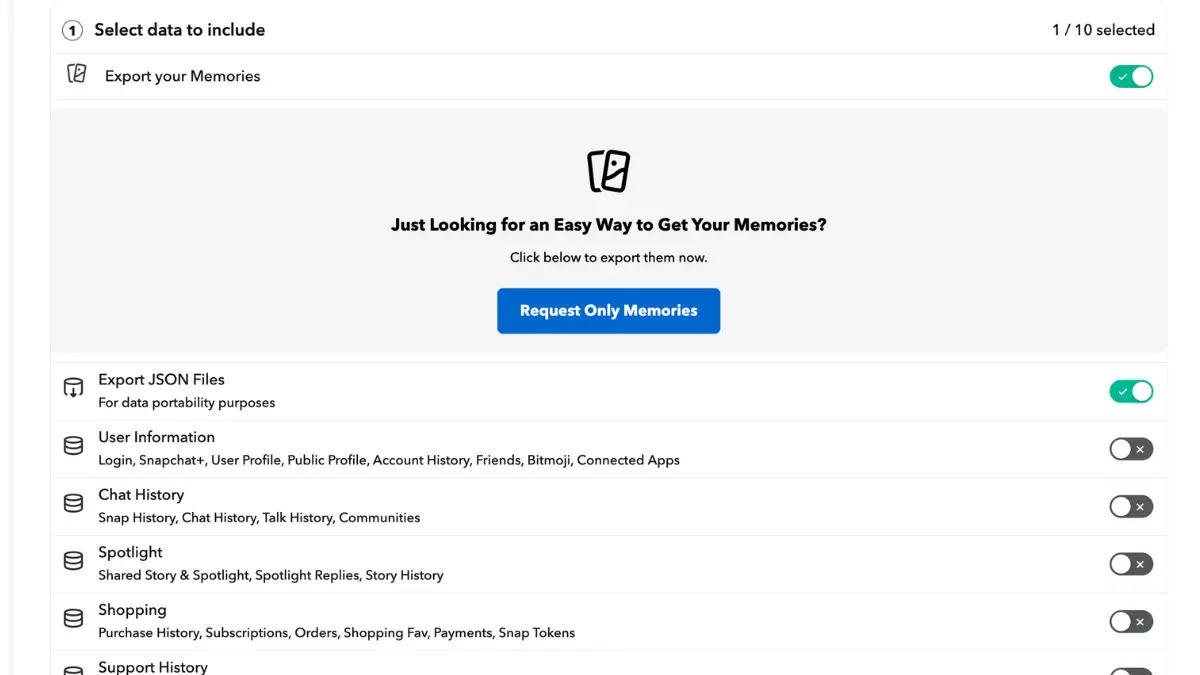
Request Your Snapchat Data Export
Go to accounts.snapchat.com and request your data. You must enable both "Export Memories" and "Export JSON Files" options. Snapchat typically delivers your export within 24-48 hours as a downloadable ZIP file. Extract the ZIP to find your memories_history.json file—this contains all the metadata Snapchat stripped from your files.
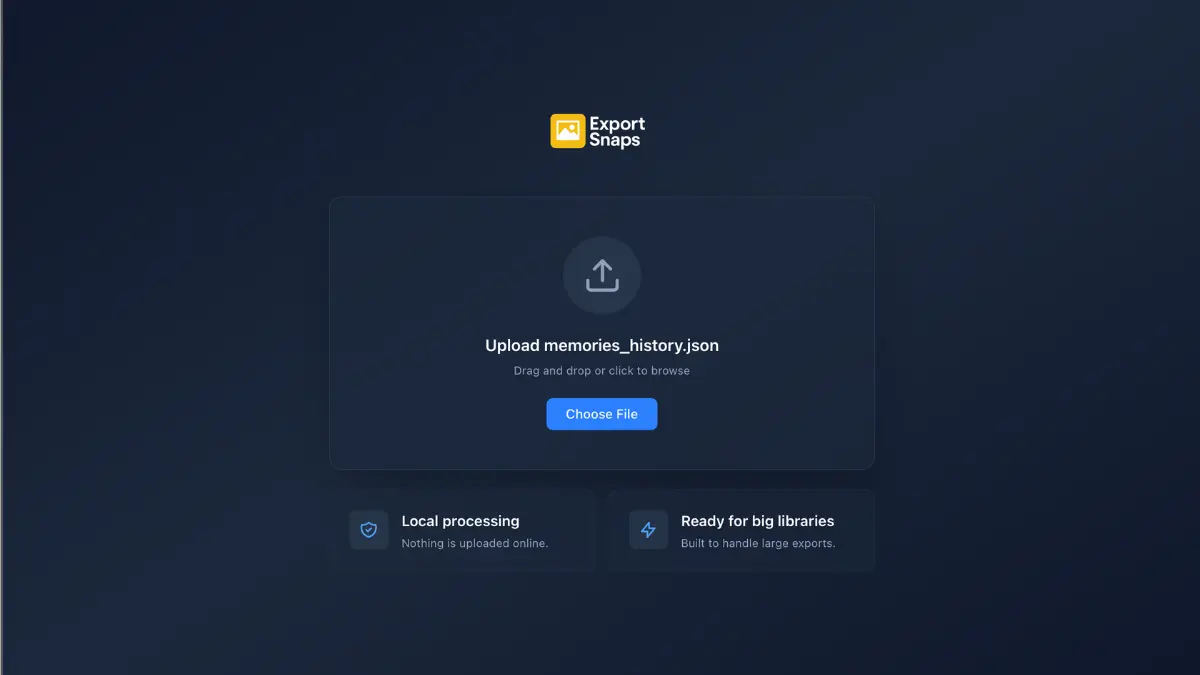
Upload memories_history.json to ExportSnaps
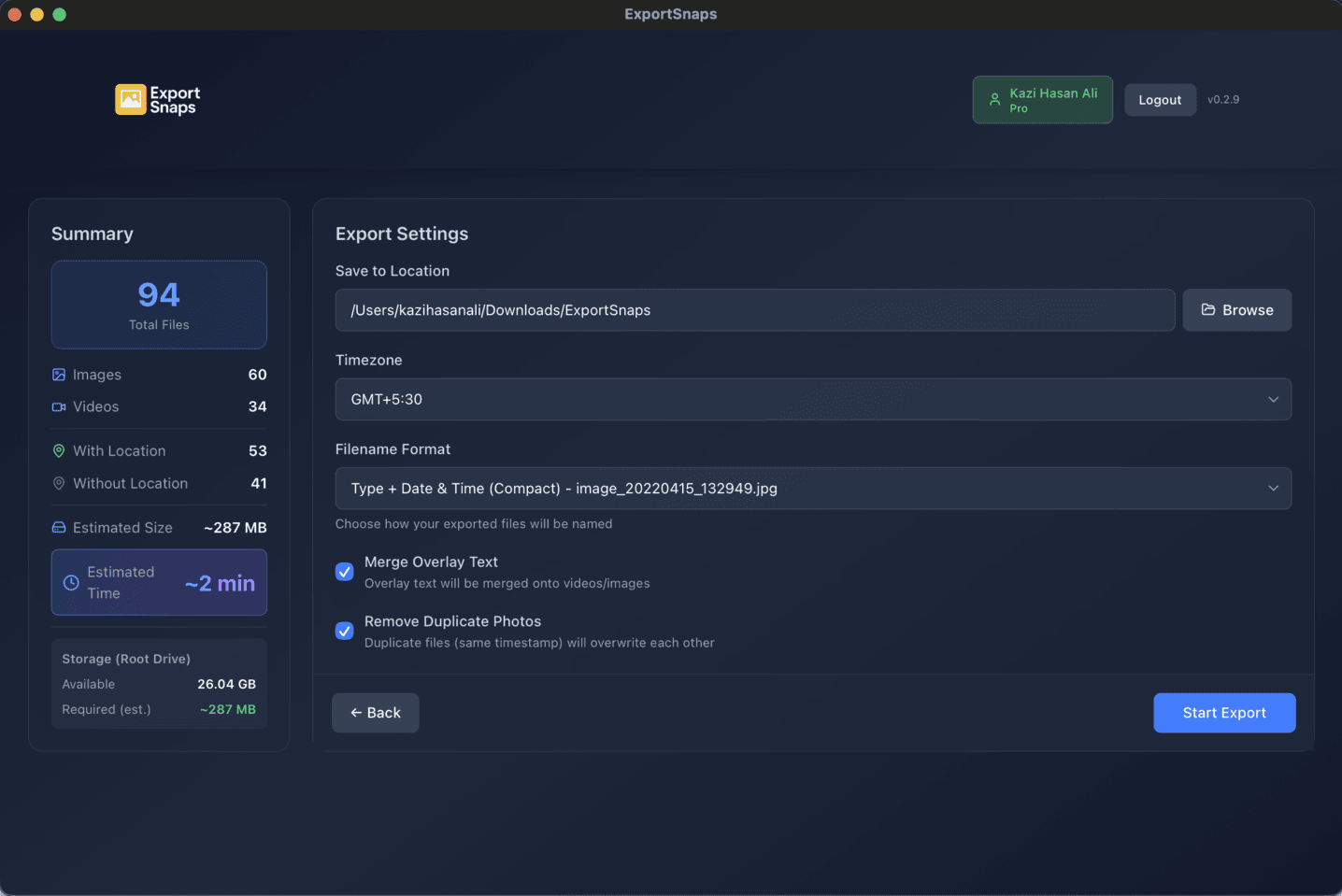
Open ExportSnaps on your Mac or Windows computer. Drag your memories_history.json file into the app. ExportSnaps instantly validates the file and shows you a summary: total file count, how many have location data, estimated download size, and processing time. All processing happens locally on your computer—nothing uploads to the cloud.
Configure Settings & Start Export
Select your timezone, choose an output folder, and enable options like "Merge Overlay Text" to automatically combine separated text overlays. Click "Start Export" and watch real-time progress. ExportSnaps downloads files concurrently from Snapchat's CDN, writes all EXIF metadata, and merges any overlays automatically.
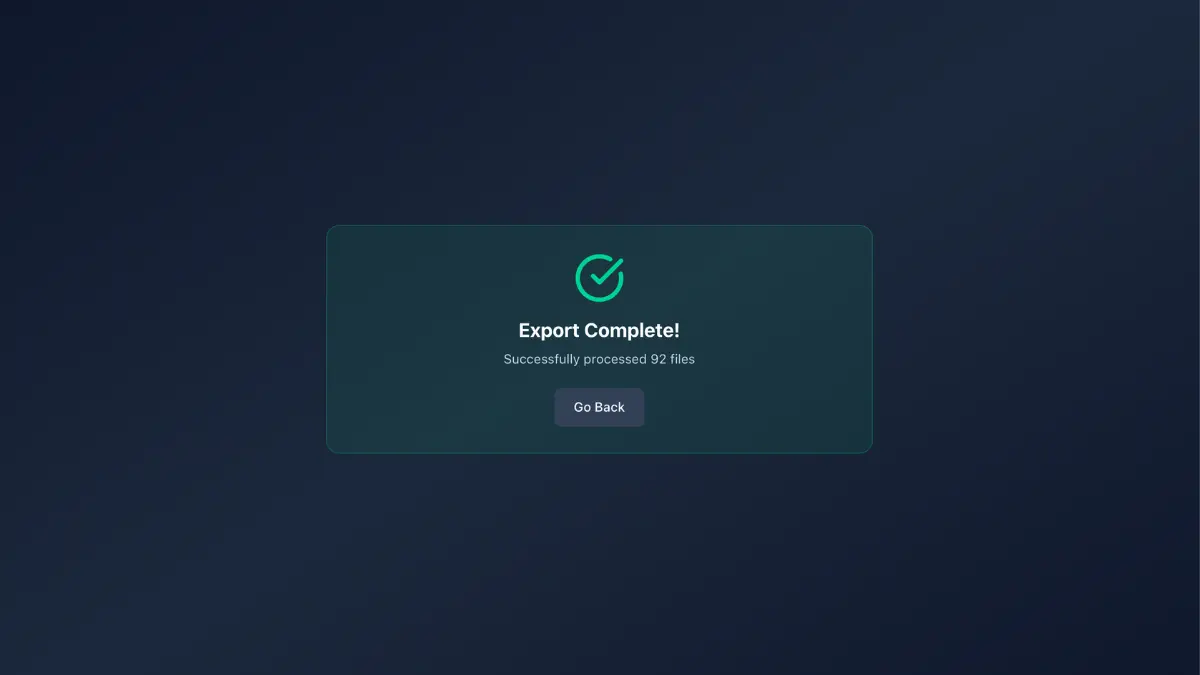
Import Fixed Files to Your Gallery App
Once processing completes, your output folder contains all photos and videos with proper EXIF metadata embedded. Import these files to Apple Photos, Google Photos, or any gallery app. They now sort correctly by actual capture date, appear on map views with GPS coordinates, and work with professional photo editing software like Adobe Lightroom. Your timeline is restored.
Don't Wait Until September 2026
You have 8 months to export your Snapchat memories before the deadline. Start now while you have time.
Download ExportSnapsFrequently Asked Questions
What exactly happens on September 1, 2026?
After Snapchat's 12-month grace period ends in September 2026, memories that exceed the 5GB free storage limit will be at risk of deletion. According to Snapchat Support, your oldest memories under 5GB will be saved, but your most recent memories that push you over the limit will be permanently deleted unless you upgrade to a paid plan.
How do I know if I'm over the 5GB limit?
Snapchat doesn't currently show your exact storage usage prominently. If you've been saving memories for several years or have thousands of photos and videos, you're likely over 5GB. The safest approach is to export now using ExportSnaps rather than risk losing memories. You can also check for an 'Upgrade Storage' banner in your Memories section.
Why doesn't Snapchat's export include proper dates and locations?
Snapchat's data export was designed for legal data portability compliance, not for maintaining photo library compatibility. They provide metadata in a separate JSON file instead of embedding it into each photo and video file. This satisfies data portability laws but makes the exported files useless in standard photo applications like Apple Photos or Google Photos, which expect EXIF metadata embedded in files.
Will ExportSnaps work for large Snapchat libraries?
Yes. ExportSnaps has been tested with libraries up to 1,163.34 GB containing 64,790 files. The app uses concurrent downloads and efficient memory management to handle any size library. For very large exports, processing may take several hours depending on your internet speed, but the app shows real-time progress and can retry any failed files automatically.
Is my data safe when using ExportSnaps?
ExportSnaps processes everything locally on your computer. Your photos and videos never upload to any cloud service or external server - they download directly from Snapchat's CDN to your device, where metadata is embedded offline. The app includes no telemetry or tracking. Your memories remain completely private and under your control.